OpenCode: A Deep Dive into the Open-Source AI Coding Agent
An in-depth analysis of OpenCode, an open-source AI coding agent that supports multiple AI providers, features a client-server architecture, dual-agent mode, and cross-platform installation. Perfect for code exploration, refactoring assistance, and remote development.
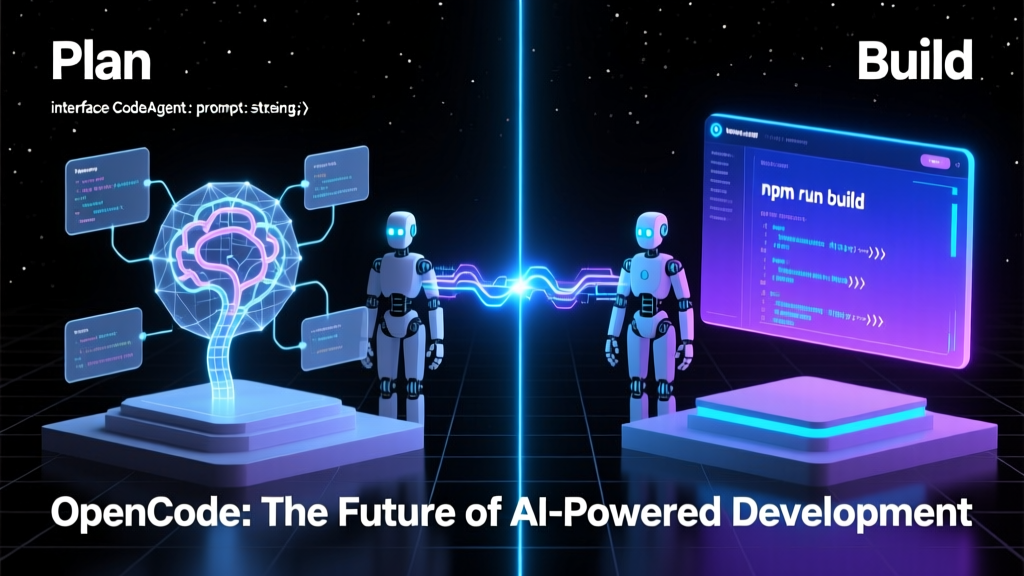
As a Java veteran who's been tormented by the Spring ecosystem for years, my first reaction when I saw this open-source coding agent called OpenCode suddenly top the GitHub Trending charts was: "Another AI toy?" But after careful research, I realized this thing actually has some serious substance!
What exactly is this?
In simple terms, OpenCode is an open-source AI coding assistant—but it's not just another basic code completion tool. It's more like an intelligent agent that can chat with you in your terminal, help you write code, modify code, and analyze code. What impressed me most is that it's completely open-source and doesn't lock you into any specific AI provider—you can use Claude, OpenAI, Google, or even local models!
This is like buying a car where you can swap out the engine at will—today you use Tesla's, tomorrow BYD's, and the day after you could even build your own and install it. This decoupled design is truly refreshing in today's AI tool landscape, where vendor lock-in is the norm.
Technical Architecture Highlights
According to the README, OpenCode adopts a client-server architecture, which means its TUI (Terminal User Interface) is just one of many possible clients. Imagine running the OpenCode service on your computer and controlling it remotely via a mobile app—doesn't that essentially turn your development environment into a remotely controllable robot?
As a Java developer, I particularly appreciate this architectural design. It reminds me of service discovery and load balancing in microservices architecture—the only difference being that here the "services" are AI models, and you yourself act as the load balancer by choosing which model to use.
Installation Experience: Simpler Than Instant Noodles
When it comes to installation, OpenCode takes user experience to the extreme. Check out this installation command:
bash
## YOLO
curl -fsSL https://opencode.ai/install | bash
YOLO (You Only Live Once) mode—one command and you're done! As a backend developer who frequently deals with complex dependency configurations, seeing this installation method almost brought tears to my eyes. Of course, if you're not comfortable with this "blind install" approach, it also supports various package managers:
- npm, bun, pnpm, yarn
- Scoop and Chocolatey for Windows
- Homebrew for macOS and Linux
- Paru for Arch Linux
- Even Nix and Mise
This comprehensive cross-platform installation strategy shows that the team is genuinely committed to building a real product, not just a technical demo.
Core Feature: Dual-Agent Mode
OpenCode comes with two built-in agent modes—a remarkably clever design:
- build agent: Default mode with full file editing permissions, perfect for daily development
- plan agent: Read-only mode specifically for code analysis and exploration, preventing accidental modifications to your code
It's like having two robot butlers at home: one handles the actual work (build), while the other specializes in giving you advice without touching anything (plan). When facing an unfamiliar codebase, you can first analyze it using plan mode, finalize your approach, and then switch to build mode for execution—significantly enhancing safety.
Even cooler, you can switch between these two agents simply by pressing the Tab key. This interaction design is both simple and highly efficient.
Practical Use Cases
As a Java developer with 8 years of experience, I find OpenCode particularly suitable for the following scenarios:
- Codebase Exploration: When taking over a new project, use plan mode to quickly understand the code structure
- Refactoring Assistance: Let AI help you identify code snippets that can be optimized
- Cross-Language Development: As a Java veteran who occasionally needs to write TypeScript, OpenCode helps me avoid common pitfalls
- Remote Development: Run OpenCode on a server and connect via a lightweight terminal to save local resources
Potential Issues and Considerations
While OpenCode looks promising, there are a few things to keep in mind:
First, the README mentions that you should delete versions prior to 0.1.x before installing the new version. This indicates the project is still in rapid iteration, and the API might be unstable. For production use, I recommend testing in a staging environment first.
Second, although it's open-source, the documentation is relatively brief. Many advanced features require checking the official website documentation, which might not be very beginner-friendly.
Finally, as a TypeScript project, developers accustomed to the Java ecosystem may need some time to adapt to JavaScript/TypeScript's asynchronous programming patterns and toolchain.
Is It Worth Deep Learning?
Absolutely! Even if you don't plan to use OpenCode in production, studying its architectural design is highly valuable. Its client-server architecture, plugin-based design, and multi-model support make it an excellent learning case.
If I were a team's technical lead, I'd consider promoting OpenCode internally as a development assistance tool, especially for onboarding new team members and code review processes. It not only boosts development efficiency but also helps team members better understand code.
In summary, OpenCode is more than just an AI coding tool—it's an outstanding example of how to build flexible, scalable AI applications. In this era of countless AI tools, projects that remain committed to open-source principles and maintain architectural flexibility are rare and definitely worth our attention and study.