How to Build a Type-Safe AI Agent with pydantic-ai: A Practical Guide
Stop struggling with unpredictable LLM outputs. Learn how to use pydantic-ai to build AI agents with strict type validation, structured JSON responses, tool integration, and built-in retry mechanisms in just 30 minutes.
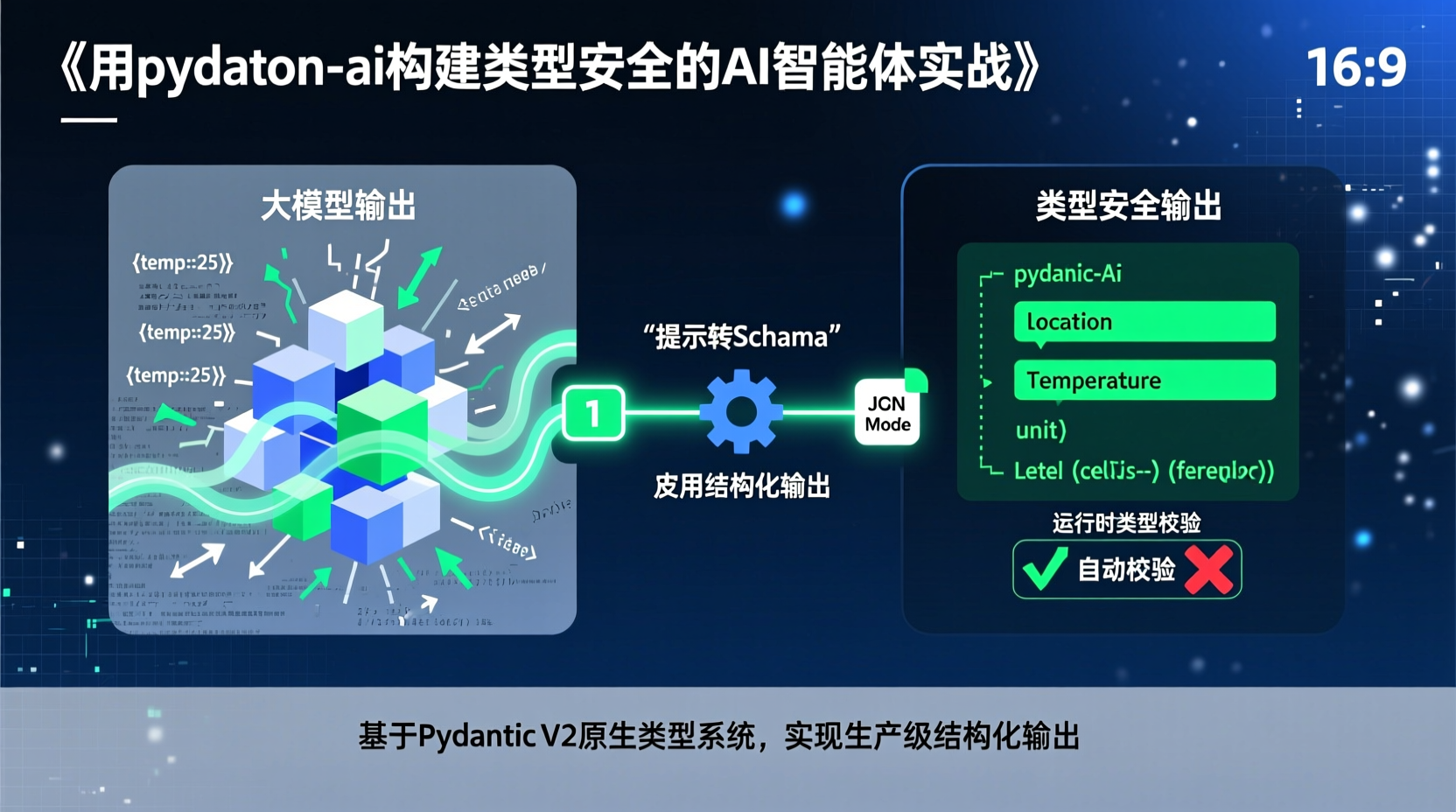
How to Build a Type-Safe AI Agent with pydantic-ai: A Practical Guide
1. Have You Faced These LLM Output Nightmares?
Last week, I integrated an LLM requirement for my team and quickly got bogged down by JSON parsing errors. One day the model outputs {"temp":25}, the next day it switches to {"temperature":"25 degrees"}, and then it just spits out free-form text. Type validation failures, inconsistent formats, painful debugging... If you're tired of patching AI outputs with regex and endless try-except blocks, this guide is for you.
In this tutorial, you'll spend 30 minutes building an AI agent with type validation, tool calling, and structured output using pydantic-ai. You don't need to understand the underlying mechanics; just follow the steps to get a production-ready code framework.
2. Prerequisites
- Python 3.10+ (to leverage modern type hint syntax)
- A valid OpenAI or OpenAI-compatible API key
- Familiarity with Python virtual environments and
pippackage management
3. Quick Start
Step 1: Install Core Dependencies
bash
pip install pydantic-ai openai
## Recommended: Use a virtual environment to isolate dependencies
python -m venv ai-env && source ai-env/bin/activate
Why this step? pydantic-ai is built on Pydantic V2 and relies on Python's native type system for runtime validation. A clean environment prevents version conflicts.
Step 2: Basic Agent Configuration
python
from pydantic_ai import Agent
from openai import AsyncOpenAI

## Initialize client (replace with your API key)
client = AsyncOpenAI(api_key="sk-...")

## Define output structure
class WeatherResponse(BaseModel):
    location: str
    temperature: float
    unit: Literal["celsius", "fahrenheit"]

## Create Agent instance
agent = Agent(
    model="gpt-4-mini",
    client=client,
    result_type=WeatherResponse  # Key: Enforces structured output
)
Note: result_type is the core magic here. The agent automatically constrains the prompt to JSON mode and performs type validation upon return.
4. Hands-on: Build a Weather Query Agent
Complete Workflow
python
from pydantic import BaseModel
from typing import Literal
import asyncio

async def main():
    result = await agent.run(
        "Query the current weather in Beijing, return temperature in Celsius"
    )

    # result.data is now a fully validated WeatherResponse instance!
    print(f"{result.data.location}: {result.data.temperature}°{result.data.unit[:2]}")

    # Check full execution logs
    print(result.usage)  # Token consumption stats

asyncio.run(main())
Key Design Breakdown
- Type as Contract: Defining
WeatherResponseacts as a strict contract. The model will strictly adhere to the specified fields. - Built-in Retry Mechanism: If the output fails JSON Schema validation, the agent automatically triggers up to 3 retries (configurable).
- Non-Invasive Integration: Existing OpenAI code only needs the
result_typeparameter to be upgraded to structured mode.
5. Common Pitfalls & Pro Tips
- API Timeouts: LLM JSON mode responses can be slower. Set
timeout=30.0to avoid premature failures. - Type Validation Failures: Ensure Pydantic field types support serialization. Custom classes must implement proper
__init__or use Pydantic validators. - Debugging Trick: Use
agent.run(..., debug=True)to inspect the prompt construction and raw model responses. - Cost Control: Structured output slightly increases token usage. Use
model="gpt-3.5-turbo"or cheaper local models for testing.
6. What's Next?
- Custom Tools: Register functions using the
@agent.tooldecorator to enable multi-step workflows. - LangChain Integration: Seamlessly connect with existing agent architectures via
pydantic-aiadapters. - Production Deployment: Wrap the agent in a FastAPI REST service, adding caching and rate limiting for scalability.
Remember: Great AI applications aren't about crafting perfect prompts; they're about turning unpredictable model outputs into a controllable type system. Go add type-safe guardrails to your projects today!
Complete source code is available on GitHub. Search for
pydantic-ai-weather-demoto pull and run it directly.