RuView: A Hardcore Human Pose Estimation System That 'Sees Through Walls' Using WiFi Signals
RuView is an open-source, Rust-based system that transforms off-the-shelf WiFi signals into real-time human pose estimation (17-joint DensePose), contactless vital sign monitoring (breathing: 6–30 BPM; heart rate: 40–120 BPM), wall-penetrating presence detection (up to 5m through concrete), and even pre-syncope triage — all without cameras, wearables, or internet connectivity. Key highlights: 810× end-to-end acceleration over Python (18.47 µs/frame), WASM modules running natively on ESP32-S3, physics-driven signal modeling (Fresnel zone + CSI phase dynamics), hardware-agnostic CSI normalization, and RuVector — a modular, crates.io-published AI infrastructure stack for edge sensing.
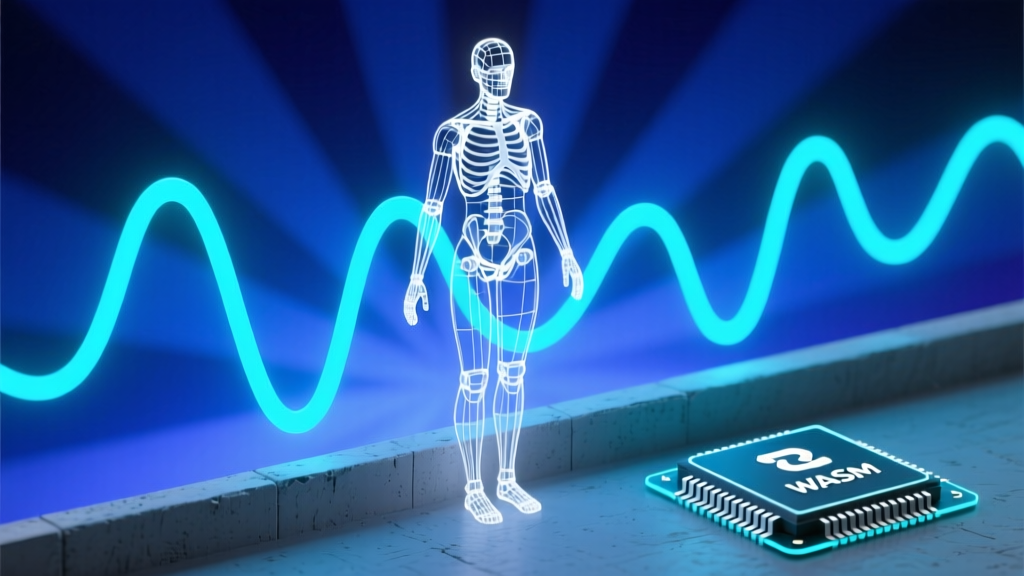
Hey folks, Zhou Xiaoma is back again! Today, we’re skipping Spring Boot circular dependencies and won’t rant about JVM GC logs full of cryptic -XX:+UseZGC flags. Let’s go hardcore — a human pose estimation system that literally sees through walls using WiFi signals: RuView.
Yes, you read that right. This isn’t a sci-fi teaser or a concept slide from some tech giant’s pitch deck. It’s a real, open-source project — written in Rust, with 25k+ GitHub stars, and a README that ships with ready-to-run ESP32 flashing commands and self-verifying scripts like python v1/data/proof/verify.py. As a Java veteran who’s wrestled with the Spring ecosystem for eight years, my first instinct was: “Is this just forwarding camera streams over WebSocket and slapping a ‘WiFi’ sticker on it?”
Turns out — I was wrong. And adorably so.
🌐 What Does It Actually Do? One Sentence, Zero Fluff
RuView treats the WiFi signals flooding your home, office, or mall as an invisible radar mesh. When people walk, breathe, or even pulse, their bodies scatter WiFi waves — inducing subtle but measurable phase and amplitude perturbations in the Channel State Information (CSI). RuView captures, cleans, models, and infers these perturbations in real time — outputting:
✅ Real-time 17-joint human pose (DensePose)
✅ Breathing rate (6–30 BPM)
✅ Heart rate (40–120 BPM)
✅ Multi-person presence detection (with persistent ID tracking)
✅ Wall-penetrating sensing (effective up to 5 meters behind concrete)
✅ Even detects impending syncope — START disaster triage classification
No cameras. No wearables. Runs offline (ESP32 standalone mode). Pure radio waves. It doesn’t see people — it listens to the faint electromagnetic “hum” their bodies emit.
⚙️ Technical Architecture: LEGO Blocks × Quantum Physics × Edge AI
Don’t be fooled by the word “WiFi” — this project’s technical density rivals Tokyo’s rush-hour subway. Its core isn’t a black-box algorithm, but a layered, verifiable engineering system, broken down below:
Layer 1: Hardware Abstraction — Turning “Junk” WiFi Into Precision Sensors
It’s not picky:
- ✅ ESP32-S3 ($8/unit): Out-of-the-box support, TDM multi-node meshing, 20 Hz raw CSI streaming
- ✅ Intel 5300 NIC ($15): Research-grade MIMO, 3×3 antenna array
- ✅ Your laptop ($0): Even RSSI-only detection works (though only coarse presence)
Its killer feature? Hardware agnosticism — via the HardwareNormalizer module, which maps CSI data from wildly different chipsets into a unified 56-subcarrier standard format. Train once, deploy everywhere: ESP32, Intel NICs, or future chips — no retraining needed. This is “hardware normalization”, not magic — it’s Fourier-domain encoding + dynamic resampling, executed precisely.
Layer 2: Signal Processing Pipeline — Rust as an “Electron Microscope”
This is where the real hardcore begins. The entire CSI processing chain is rewritten in Rust — and the performance numbers are eye-watering:
| Operation | Python v1 | Rust v2 | Speedup |
|---|---|---|---|
| End-to-end pipeline | ~15 ms | 18.47 µs | 810× |
| Breathing detection | — | 86 µs/frame | 11,665 fps |
Why so fast? Because every step is optimized down to assembly-level primitives:
Conjugate Multiplication(SpotFi): Compensates carrier frequency offset using conjugate multiplication — turning a “wobbly ruler” into a “stable caliper”Hampel Filter: Ditches mean/variance (easily poisoned by outliers) in favor of median + MAD — robustness maximizedFresnel Zone Modeling: Models chest motion as phase jumps induced by EM wave propagation through the Fresnel region — physics intuition directly drives algorithm design
This reminds me of debugging Kafka consumer offsets — initially trying to brute-force with
seek(), only to realize later that stability comes from understanding LogSegment segmentation at the storage layer. RuView operates the same way: it doesn’t tune hyperparameters — it models physical reality.
Layer 3: AI Skeleton — RuVector: Not a Model, But an “AI Operating System”
If DensePose is the brain, RuVector is its central nervous system + cerebellum + spinal reflex arc. It delivers five core capabilities:
ruvector-mincut: Automatically identifies which WiFi subcarriers are most sensitive to human motion — like applying dynamic spectral filters to the signalruvector-attn-mincut: Attention-gated filtering — decides in real time which CSI frames are trustworthy and which are noise — rejecting “phantom hearing”ruvector-solver: Solves TX-Body-RX geometry using sparse Neumann series expansion — replacing O(N³) matrix inversion with millisecond 3D localizationruvector-temporal-tensor: Three-tier quantization (f32 → f16 → int8 → int4), compressing 60 seconds of breathing data from 13 MB to 3.4 MB — fitting comfortably into ESP32’s 320 KB RAMruvector-coherence: Continuously monitors signal health; triggers auto-calibration or alerts when data quality degrades
Even more impressive? All five capabilities are published as independent, production-ready crates on crates.io — you can cargo add wifi-densepose-ruvector and reuse them immediately. This isn’t project-specific glue — it’s composable AI infrastructure.
Layer 4: Edge Intelligence — WASM on ESP32, Bringing AI to the Last Millimeter
The part that made me slap my thigh? 65 WASM edge modules, all running natively on ESP32. For example:
rust
// med_sleep_apnea.rs — Sleep apnea detection (completed in <5ms)
#[no_std]
pub fn detect_apnea(signal: &[f32]) -> ApneaResult {
    let mut breath_cycles = find_breath_cycles(signal);
    let pause_duration = breath_cycles.max_pause();
    if pause_duration > 10.0 { // >10 seconds of apnea
        ApneaResult::Critical
    } else {
        ApneaResult::Normal
    }
}
These modules:
- Compile to
wasm32-unknown-unknown, 5–30 KB each - Support OTA hot updates — no firmware reflashing required
- Share a common
vendor_common.rsutility library (ring buffers, EMA filters, DTW template matching) - Pass all 609 unit tests — zero failures
This isn’t just “edge AI.” This is “nerve-end AI” — your smart plug could soon diagnose its owner’s acute myocardial infarction.
💻 Code Walkthrough: From Docker to Bare Metal, 3-Minute Onboarding
Don’t just take my word for it — try it yourself:
▶️ Fastest Path (Docker, 30 seconds)
bash
docker pull ruvnet/wifi-densepose:latest
docker run -p 3000:3000 -p 3001:3001 -p 5005:5005/udp ruvnet/wifi-densepose:latest
## Open http://localhost:3000 — watch live skeletons float in your browser
▶️ Rust Native (Geek Mode)
bash
git clone https://github.com/ruvnet/wifi-densepose.git
cd rust-port/wifi-densepose-rs
cargo build --release
cargo test --workspace # 542+ tests, all pass

## Launch server with simulated data
./target/release/sensing-server --source simulate --http-port 3000

## Or connect directly to ESP32 (assuming IP: 192.168.1.20)
./target/release/sensing-server --source esp32 --udp-port 5005
▶️ Python Glue Layer (Bridge to the Legacy World)
python
from wifi_densepose import WiFiDensePose

system = WiFiDensePose()
system.start()
poses = system.get_latest_poses()
print(f"Detected {len(poses)} persons")

## REST API — standard interface
import requests
resp = requests.get("http://localhost:3000/api/v1/vital-signs")
print(resp.json())  # {"breathing": 14.2, "heart_rate": 72, "confidence": 0.94}
▶️ WebSocket Real-Time Stream (Frontend Visualization)
python
import asyncio, websockets, json

async def stream_sensing():
    async with websockets.connect("ws://localhost:3001/ws/sensing") as ws:
        async for msg in ws:
            data = json.loads(msg)
            for person in data.get("persons", []):
                print(f"ID:{person['id']} → Keypoints:{len(person['keypoints'])}")

asyncio.run(stream_sensing())
🤔 As a Java Veteran: Real Impressions & Honest Pitfalls
Why I’m Excited:
- Finally, a Rust project that lives its promises: memory safety, zero-cost abstractions, and verifiability — all grounded in real constraints. Its
no_stdWASM modules, pervasiveResult-based error handling, andconst fnprecomputations aren’t showboating — they’re life-or-death optimizations for ESP32’s meager 320 KB RAM. - It applies Domain-Driven Design (DDD) rigorously — 7 bounded contexts, complete with domain model diagrams in
docs/ddd/ruvsense-domain-model.md, including aggregate roots and domain events. This isn’t an IoT prototype — it’s banking-core-level engineering discipline. - 44 Architecture Decision Records (ADRs), each with mathematical derivations, performance benchmarks, and security audits. Reading ADR-027 (Cross-Environment Generalization) felt like skimming an appendix of a top-tier conference paper.
Where I Stumbled (Full Transparency):
- Real hardware barrier: The README is crystal clear — “Consumer WiFi laptops can only provide RSSI-based presence detection.” Full functionality requires ESP32-S3 or Intel NIC firmware hacking. Don’t expect phone hotspots to run DensePose.
- Steep Rust learning curve:
cargo add wifi-densepose-ruvectoris trivial — but grokking the sparse Neumann iteration inruvector-solver/src/neumann.rstook me an entire weekend buried in Numerical Linear Algebra. - Missing Chinese ecosystem: All docs, ADRs, and issues are English-only. For domestic teams, documentation translation and hardware procurement become hidden costs.
🎯 Worth Learning? My Verdict Is Blunt:
✅ Absolutely mandatory — if you’re building:
- Privacy-first smart hardware (elder care, medical, hospitality)
- Edge AI system architecture (how to shrink LLMs to MCUs)
- Signal processing + AI fusion (CSI, radar, sonar, etc.)
- Rust in production (large workspaces, WASM embedding,
no_stddevelopment)
❌ Think twice — if you just want to:
- Spin up a quick web backend API (Spring Boot does it in 10 minutes)
- Run a YOLOv8 demo (PyTorch’s ecosystem is far more convenient)
- Write business CRUD (this project doesn’t even ship a DB connection pool — because it doesn’t need one)
Finally, here’s my favorite line from RuView’s README:
"See through walls with WiFi. No cameras. No wearables. No Internet. Just radio waves."
— This isn’t just a tech slogan. It’s engineers’ romance: solving humanity’s toughest problems with the most fundamental laws of physics.
(P.S. I’ve already ordered six ESP32-S3 boards — tonight, I’ll solder a dual-node Mesh: kitchen breathing monitor + living room fall detector… If the board smokes, next week’s post is titled “How to Rescue a Smoking ESP32 With a Multimeter”.)