awesome-swift: A Ruby-Powered Tactical Map of the Swift Ecosystem
An in-depth exploration of matteocrippa/awesome-swift — not a codebase, but a living, community-maintained 'strategic atlas' for Swift developers. Highlights its meta-project architecture (data-vs-view separation), rigorous governance, decade-long evolution, and how it functions as a dynamic decision dashboard — all built with Ruby tooling on GitHub.
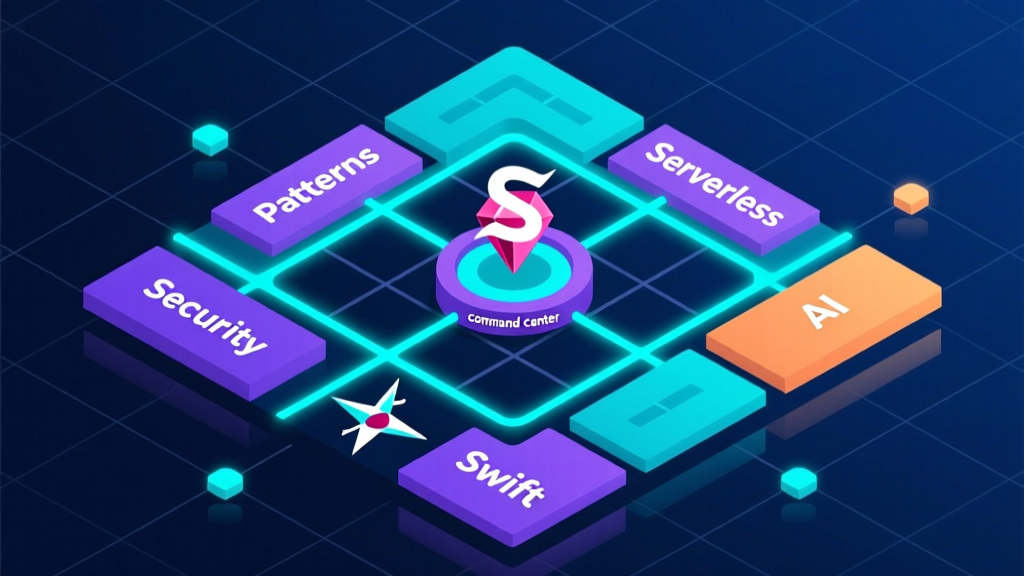
Hello, fellow Swift hunters, iOS engineers, and cross-stack veterans like me — who still write Spring Boot backends in Java while getting repeatedly pummeled by SwiftUI and Combine. Today, let’s skip JVM GC tuning and Spring Cloud Gateway circuit-breaking. Let’s talk about something fresh: This isn’t a code repository — it’s a treasure map. A Markdown-powered, globally co-authored, continuously updated-for-a-decade ‘Full-Spectrum Tactical Map of the Swift Ecosystem’.
Don’t scroll away yet — I know your inner chat window is already flooding with comments: “Isn’t this just a link dump? What’s there to analyze?” Hold on. Today, Zhou Xiaoma will flip this map over and show you how it was forged, why it’s survived so long, and — as a backend engineer who lives and breathes Gradle, Maven, and Spring Initializr — what my first reaction actually was: “Whoa — this is basically Swift’s community-run triple-threat combo: Maven Central + Spring IO Platform + Awesome Java.”
That’s right: awesome-swift isn’t a conventional “project.” It’s a highly structured, community-driven, rigorously governed meta-project. Its README is itself a precision-engineered system: see that opening comment line — <!-- PLEASE DO NOT UPDATE THIS FILE, UPDATE CONTENTS.JSON INSTEAD. THANK YOU :-) --> — does it instantly teleport you back to that intern on your team who always edits pom.xml but freezes up when touching settings.gradle? 😄 This isn’t polite boilerplate — it’s the project’s core architectural principle: separation of data and presentation. All real links, categories, and descriptions live in contents.json; the README is merely a render layer — essentially the granddaddy of frontend MVVM patterns… implemented via GitHub Actions + Jekyll static generation.
Now look at its directory structure — from Guides to Serverless, spanning 10+ top-level categories and 80+ subcategories — covering obscure corners like CBOR, TOML, and 3D Touch, while also tracking cutting-edge frontiers like AI, Serverless, and Embedded Systems. This isn’t a lazy starter pack — it’s an executable Swift technology strategy roadmap. Building a fintech app and need a trustworthy crypto library? Jump straight to Security → Cryptography. Scan: CryptoSwift, Swift-Sodium, Themis. Which has more stars? Better docs? Swift Concurrency support? Faster than Stack Overflow — ten times faster.
Even harder-core are its engineering practices. It contains zero Swift code — yet its CI/CD pipeline is stricter than many production services:
- Pull requests must pass
link-checker(to verify all URLs return HTTP 200) - New entries must conform to
CONTRIBUTING.mdformatting rules (author name, language tags, active maintenance status) - The official guides section clearly separates
Official Guides(Apple documentation),Style Guides(Airbnb / Google / Raywenderlich style manuals), andThird-party Guides(e.g., Hacking with Swift — the gold-standard course)
Is this an open-source project? No — it’s the ISO Standards Committee of open source.
Speaking of code examples… wait — here’s a cognitive trap: many assume Awesome lists contain no code. Wrong! Its “code” lives behind every link. Take the Dependency Managers section:
text
* [Accio](https://github.com/JamitLabs/Accio) - A SwiftPM based dependency manager for iOS & Co. with improvements over Carthage.
* [Carthage](https://github.com/Carthage/Carthage) - A new dependency manager.
* [CocoaPods](https://github.com/CocoaPods/CocoaPods) - The most used dependency manager.
* [Mint](https://github.com/yonaskolb/Mint) - A package manager that installs and runs Swift command line tools.
* [swift-package-manager](https://github.com/swiftlang/swift-package-manager) - SPM is the Package Manager for the Swift Programming Language.
These five lines represent five fundamentally different dependency management philosophies:
CocoaPods: Bundler for the Ruby world — centralized, ecosystem-rich, but prone to conflicts;Carthage: A Unix philosophy devotee — compiles binaries only, leaves your project structure untouched;SPM: Apple’s officially blessed solution — pure Swift, seamless Xcode integration, though early binary distribution support was weak;Mint: A CLI-tool lover’s dream —mint install yonaskolb/Beakinstalls scripts in one command;Accio: Attempts to bridge SPM’s purity with Carthage’s flexibility…
This side-by-side comparison cuts deeper than any technical blog.
Then there’s the Patterns section — essentially Swift’s architectural evolution timeline:
Viperit(2015): An iOS-localized take on VIPER;CleanArchitectureRxSwift(2017): A product of the golden age of reactive programming;The Composable Architecture(2020): Fully embraces Swift’s concurrency model and SwiftUI’s unidirectional data flow;SwiftUI Atom Properties(2023): Even starts using Macros to solve state injection…
This isn’t listing — it’s a living textbook of Swift architecture history.
As an 8-year Java veteran, what I admire most is its restraint: it doesn’t build wheels — it shines a light. It never tells you “You must use RxSwift.” Instead, it places RxSwift, Combine, OpenCombine, and FutureKit side-by-side on the shelf — letting you weigh team tech debt, learning curve, and long-term maintainability. That’s lightyears ahead of those 50,000-word Medium posts screaming “Why You Must Abandon MVC for TCA.”
Of course, it has pitfalls — the biggest one being: It’s so usable that you forget to ask ‘Why do I need this?’ For example, seeing 20+ charting frameworks under Charts, a newcomer might jump straight to pod 'Charts' — without realizing: Does your use case truly require a 5MB Objective-C/Swift hybrid framework, or can SwiftUI’s native Chart API handle it in a few lines?
So my advice is never “Just bookmark it.” Treat it as a dynamic decision dashboard:
- Launching a new project? Head to
Boilerplatesfor MVP templates; - Stuck on Core Data syncing? Go straight to
Data Management → Core Dataand check outCloudCoreorSkopelos; - Losing your mind over SwiftUI animations? Browse
Animation—Lottie,Advance,Geminiawait; - Just writing a CLI tool? The
Command Linesection already pre-configuresSwift Argument Parser,SwiftCLI, andGuaka— complete with argument parsing, subcommands, and auto-generated help.
One last heartfelt note: In this AI era, we’re bombarded daily with noise like “Framework XX is dead — YY reigns supreme!” The very existence of awesome-swift is a gentle act of resistance — it takes no sides, stirs no hype, and instead quietly, persistently, meticulously encodes the entire ecosystem’s pulse into a single .md file.
Like a white-haired old sea captain standing on deck, pointing at the nautical chart: “There — that’s the reef. There — that’s the warm current. Three hundred nautical miles ahead lies a new island: SwiftUI 6.0… Want to go? Steer yourself.”
All we need is curiosity — and a mind stubborn enough not to be swept away by the next wave of hype.
P.S. Why is the language listed as Ruby? Because its build scripts, CI pipelines, and even parts of its toolchain (like early jekyll rendering) are written in Ruby — perfectly confirming its essence: A Swift ecosystem command center, built in Ruby. Isn’t this cross-stack romanticism exactly what makes our era so fascinating? 😉
Installation
This project itself requires no installation — it’s a static resource index. However, recommended tools like Swift Package Manager are bundled with Xcode or available via CLI:
bash
## Swift Package Manager is built into Xcode
## To ensure CLI tools (e.g., `swift build`) are available, install Xcode Command Line Tools:
xcode-select --install
Quickstart: Contributing a New Library
The minimal workflow to add a new library (per CONTRIBUTING.md):
bash
## 1. Fork the repository
## 2. Edit contents.json, adding a new object under the appropriate category:
{
  "name": "SwiftGen",
  "url": "https://github.com/SwiftGen/SwiftGen",
  "description": "A suite of tools to auto-generate code for various assets of your project.",
  "category": "Misc"
}
## 3. Submit a PR with title format: feat(misc): add SwiftGen
Advanced Usage: Auto-generating a Tech Radar
Leverage its structured JSON data to generate insights — e.g., compute average stars per category (Python pseudocode):
python
## Read contents.json → calculate avg stars per category → generate radar chart
## Example pseudocode:
import json
with open('contents.json') as f:
    data = json.load(f)
for category in data['categories']:
    avg_stars = sum(repo['stars'] for repo in category['repos']) / len(category['repos'])
    print(f"{category['name']}: {avg_stars:.0f}★")
Key Features
- Community-built authoritative resource index
- Declarative architecture with strict data/view separation
- Full-lifecycle coverage of the Swift technology stack
- Rigorous contribution governance and quality gates
Tech Stack
GitHub Pages, Jekyll, GitHub Actions, JSON Schema, Markdown
Tags
swift, ios, awesome, open-source, developer-tools, resource-list