GitBook Open: Decoding the Architecture of a Modern Documentation Rendering Engine
An in-depth look at GitBook Open, a Next.js-based open-source frontend rendering engine that transforms knowledge bases into high-performance documentation websites. Discover its tech stack, architectural insights, and why it's more of a 'living textbook' than a ready-to-deploy solution.
Old Soldiers Never Die, They Just Pivot: A Deep Dive into GitBook's Modern Reinvention
Hey folks, today let's skip the old Spring Boot memes and talk something fresh. As a Java veteran who's been tortured by documentation for eight long years, I've recently set my sights on this GitHub project with over 28,560 stars — GitBook. Don't get it twisted — this isn't your grandpa's Markdown-based static site CLI tool. That thing has long since "leveled up."
Today's GitBook — or more precisely, GitBook Open — has evolved from a simple tool into an open-source frontend rendering engine for a full-fledged platform. It’s like if Nokia suddenly open-sourced its mobile OS code, letting you tweak the UI however you want. Kinda wild, right?
What Problem Does This Actually Solve?
Simply put, it solves the problem of "how to turn a knowledge base (Space) into a beautiful, usable, high-performance online documentation website." Imagine your company has a massive technical doc repository where PMs, devs, and QA engineers all contribute content. GitBook’s backend handles content management, permissions, and collaboration workflows. This open-source project? It's the "skin" and "interactive logic" that users see and interact with in their browsers.
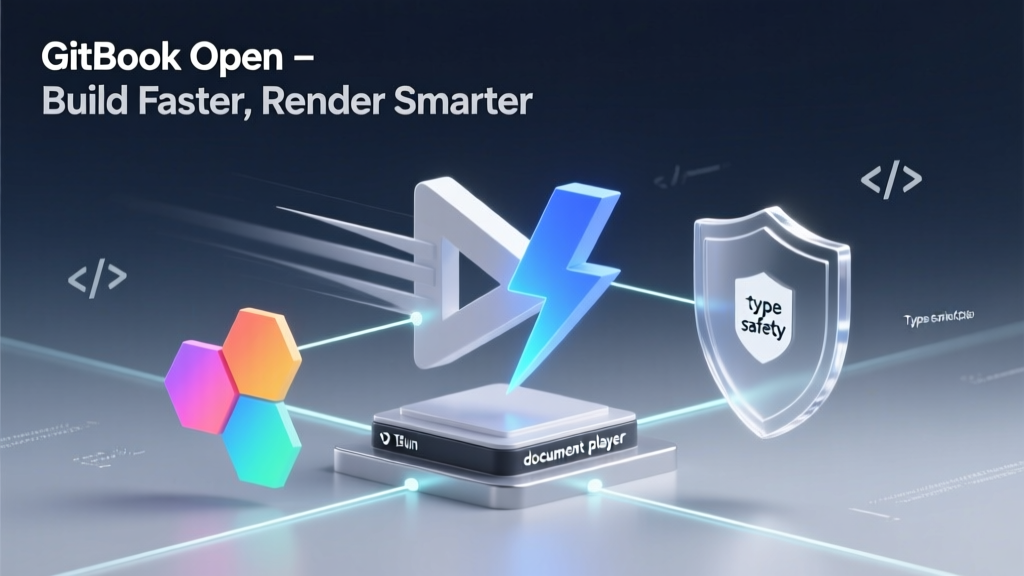
At its core, it's a modern web app built on Next.js, specifically designed to render any public space (Published Space) from the GitBook platform. Think of it as a "universal document player": feed it a GitBook space URL, and it’ll display that exact site in your local dev environment. You can even modify the UI code and see changes instantly. For teams wanting deep customization of their documentation site’s appearance, this is like getting a backstage pass.
Tech Stack & Architecture: Next.js LEGO Blocks
Peek into its package.json and dependencies, and you’re hit with a wave of modern front-end freshness:
- Next.js: The undeniable backbone, providing SSR/SSG, routing, API Routes, and more. This makes GitBook pages load blazing fast and SEO-friendly.
- Bun: Not Yarn or npm — they use Bun for package management and runtime. The README explicitly requires Bun >=1.2.15 due to its text-based lockfile. Known for speed, Bun significantly boosts development experience. A bold yet practical choice.
- Tailwind CSS: The poster child of atomic CSS, making styling feel like building with LEGO blocks. Judging by the clean UI, there are probably thousands of Tailwind classes dancing under the hood.
- TypeScript: Type safety — the peace of mind every large-scale project craves.
- Framer Motion: Handles silky-smooth animations and transitions, adding finesse to user interactions.
The architecture is crystal clear: this is not a general-purpose documentation generator (like Docusaurus), but a specialized renderer dedicated solely to GitBook platform content. This focus allows extreme optimization, but also limits versatility. You can’t just plug in any random Markdown folder — it only speaks GitBook’s data format.
Design Patterns: Singleton and Observer Everywhere?
While we haven’t dug into the actual code, we can infer heavy internal use of:
- State Management: Likely using React Context or libraries like Zustand/Pinia to manage global UI states, user preferences, and navigation — classic observer pattern in action.
- Dependency Injection Vibes: Injecting
BUN_NPM_TOKENvia.env.localis textbook configuration separation and DI thinking, allowing different environments (dev, CI) to use different private package sources.
Performance & Production Readiness: The Official "Don’t Do It" Warning?
Here’s a fun twist: the README features a prominent WARNING:
While it is possible to self-host this project, we do not recommend this unless you are certain this option fits your need.
In other words: "You can self-host, but I wouldn’t — unless you really know what you’re doing."
Why? Because once you fork and deploy it yourself, you become the “bag holder”:
- Update Hell: GitBook will keep iterating — new features, bug fixes. You’ll have to manually merge these updates into your fork, resolving conflicts until you question your life choices.
- Maintenance Burden: Server stability, performance monitoring, security patches — all on you.
- Drifting Away: Your custom version may quickly fall behind the official experience.
So the real best practice isn’t to deploy it — it’s to contribute code! Want to add a new language or fix a UI bug? Submit a PR directly to the repo. Your changes get merged upstream, benefiting everyone, and you avoid the headache of maintaining a fork. Now that’s how open-source collaboration should work.
Code Examples: Three Steps to Your "Document Player"
Enough talk, show me the code. To get it running, just follow the README:
1. Install Dependencies (Bun Edition)
bash
## Clone the repo (must be public — GPLv3 requires it)
git clone https://github.com/gitbookIO/gitbook.git

## Use the project-specific Node.js version (via .nvmrc)
nvm use

## Install deps with Bun
bun install
2. Quick Start: Hello World
bash
## Launch the dev server
bun dev
Then, open your browser to http://localhost:3000/url/gitbook.com/docs. Boom! Your local GitBook engine is now rendering the official docs site. Any code changes you make reflect live. This debugging experience? Absolutely glorious.
3. Advanced Play: Environment Setup & The Icon Mystery
Here’s a notorious pitfall: "missing font icons." During development, free Font Awesome is used, but the CI pipeline only accepts the Pro version. If you accidentally commit the free version’s dependencies, CI fails with:
The GitBook icon is missing. It indicates that the dependencies were installed without the correct font-awesome package.How to fix it? Only GitBook employees have access. They must configure a private NPM token in .env.local:
env
## .env.local
BUN_NPM_TOKEN=xxx
Then run bun install again. This reveals that key assets (Pro fonts) are closed-source — the open part is just a "shell." Regular contributors hoping to tweak the UI must either pray they don’t touch dependencies or submit a PR and wait for the team to reinstall. It’s a clever design — open for collaboration, yet retaining control over core commercial value. Pretty sneaky, honestly.
Practical Use Cases & My Take
Who is this for?
- Developers wanting to contribute to GitBook: This is the primary target audience.
- Large enterprises obsessed with brand consistency: Willing to pay high operational costs to fully embed docs into their own site.
- Academic researchers: A solid case study in modern documentation platform architecture.
Who should skip it?
- Teams seeking an out-of-the-box documentation generator: Just use Docusaurus or VitePress — way easier.
- Beginners: The Node.js 22 + Bun combo already has a learning curve.
My take:
As a Java veteran, I deeply appreciate this "platform + open-source frontend" model. It’s more transparent than pure SaaS, more sustainable than fully open-source. It strikes a smart balance between business interests and community contribution. Is it worth studying?
Absolutely! Not because you should deploy it (self-hosting is painful), but to learn its architectural philosophy:
- How to build high-performance, scalable web apps with Next.js.
- How to design an open-source project that welcomes contributions while protecting core IP.
- Best practices in modern front-end tooling (Bun + TS + Tailwind).
In short, GitBook Open isn’t a production-ready "wheel" you can drop in. But it is a living textbook — showing us exactly what the tech foundation of a successful modern SaaS product looks like. Old soldiers never die — they just learn to pivot gracefully in the cloud.