mcp-language-server: Code Semantic Support for MCP Clients
mcp-language-server: Middleware connecting MCP and LSP protocols, providing code semantic analysis for MCP AI clients like Claude Desktop. Addresses AI's text-matching limitation and lack of semantic understanding in code processing, enabling IDE-level operations (finding definitions, locating references) to help AI truly 'understand' code projects.
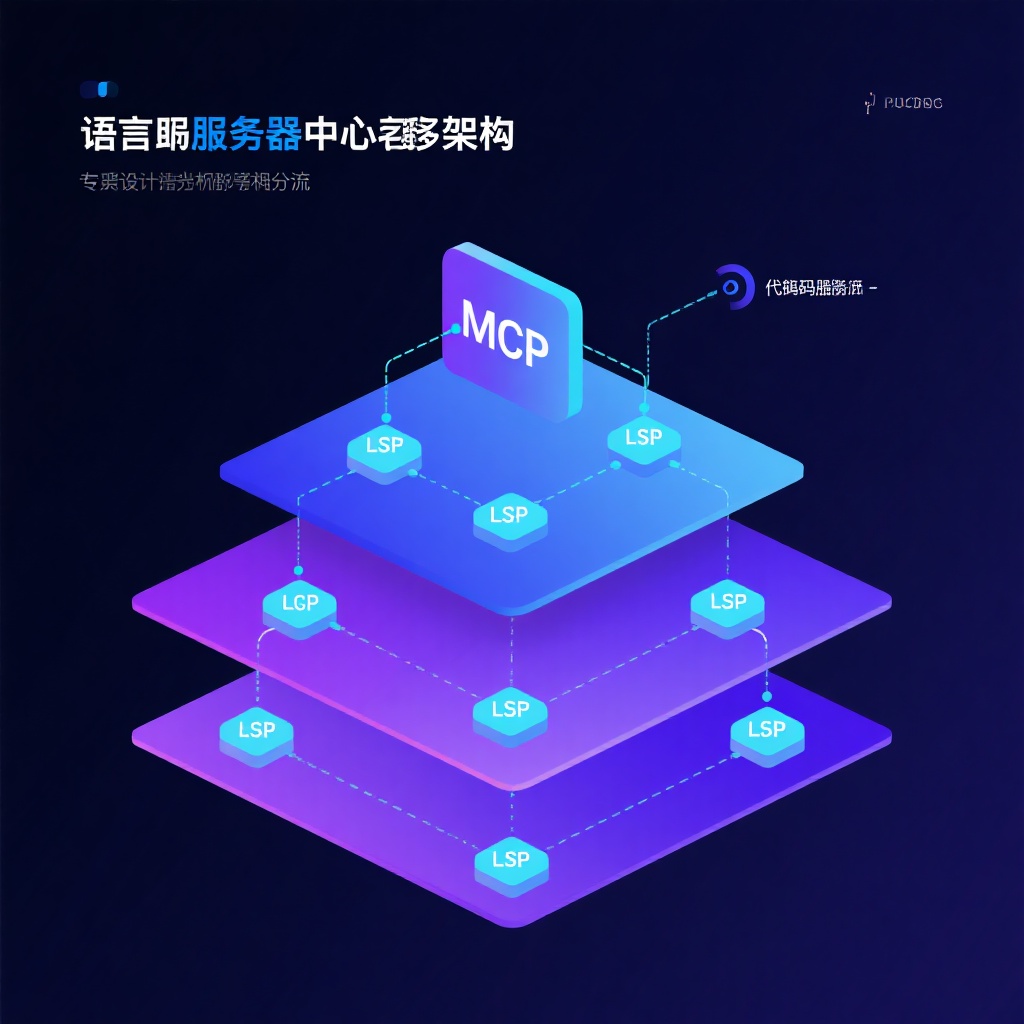
mcp-language-server: Middleware for AI Clients to Understand Code Semantics
What is mcp-language-server?
Simply put, mcp-language-server is a middleware tool that connects the MCP protocol and LSP protocol. It enables AI clients supporting MCP (Model Context Protocol) (such as Claude Desktop) to invoke code semantic analysis capabilities provided by LSP (Language Server Protocol), implementing IDE-level code operations like "find function definition", "locate references", and "rename symbol".
Core Pain Points Addressed
Developers who have used AI tools for coding may have encountered similar problems: when you ask AI to modify a function, it often can't find the specific location of that function in the project; when you ask where a variable is referenced, AI can only guess based on the current context rather than truly analyzing the entire project. This is because traditional AI clients essentially still process code based on text matching and lack understanding of code structure and semantics.
mcp-language-server solves precisely this problem. It's like equipping AI clients with a "code semantic understanding engine", enabling AI to truly "understand" your code project like an IDE.
Core Features and User Experience
1. Semantic Toolset
The project provides a series of practical code semantic tools that are commonly used in development:
- Definition Jump: Accurately find the source code definition of any symbol (function, type, constant, etc.)
- Reference Search: Locate all usage positions of a symbol throughout the project
- Symbol Rename: Safely rename symbols across the entire project
- Diagnostic Information: Get diagnostic information such as syntax errors and warnings in the code
- Hover Tooltips: View symbol documentation and type information
These features are exposed to AI clients through the MCP protocol, enabling AI to invoke these tools when answering code questions or modifying code, significantly improving the accuracy of code-related interactions.
2. Multi-language Support
Currently, the project has been tested to support LSPs for multiple mainstream programming languages:
- Go (gopls)
- Rust (rust-analyzer)
- Python (pyright)
- TypeScript (typescript-language-server)
- C/C++ (clangd)
Theoretically, any LSP that supports stdio communication can be adapted, providing good extensibility.
3. Integration with MCP Clients
Taking Claude Desktop as an example, after configuration is complete, when you ask Claude "help me find and modify the calculateTotal function", Claude will call the LSP's "definition" function through mcp-language-server to locate the function, then call the "edit" function to make modifications, without requiring you to manually copy code context.
Technical Implementation Highlights
1. Protocol Bridge Design
The core value of the project lies in its role as a "translator" between MCP and LSP. It implements the MCP protocol to communicate with AI clients upwards, connects to various LSP servers downwards, and handles data conversion and interaction logic between the two protocols. This design cleverly reuses the mature LSP ecosystem, avoiding the need to develop code analysis capabilities from scratch.
2. Cross-language Adaptation Layer
LSP implementations for different languages have subtle differences. The project handles these differences through an abstraction layer, providing a unified interface for the upper layer. For example, compatibility issues with different LSP return types are handled in internal/protocol/interfaces.go. While this part of the code may be "less elegant", it is very practical.
3. Testing Strategy
The project employs snapshot testing, running actual LSP services on simulated workspaces and capturing output. This is very effective for ensuring compatibility with different language servers. The test structure is clear, facilitating maintenance and expansion of new language support.
Practical Use Cases
Use Case 1: Large Project Understanding
When taking over a new large project, you can ask AI to analyze the code structure through mcp-language-server: "Help me梳理一下用户认证模块的调用关系" (help me sort out the call relationships of the user authentication module). AI will use the reference search function to generate a clear call chain.
Use Case 2: Safe Refactoring
When needing to rename a widely used function, simply ask AI: "Rename validateUser to validateCredentials and ensure all references are updated". AI will call the rename function to complete the project-level modification.
Use Case 3: Precise Debugging
When encountering compilation errors, instead of copying the error message to AI, simply say: "Help me see what compilation errors exist in the current project and fix them". AI obtains error locations and reasons through the diagnostic function, providing more accurate repair solutions.
Advantages and Disadvantages
Advantages
-
Filling the Gap: There are few similar MCP-LSP bridging tools on the market, and this project is the first to address the pain point of code semantic understanding for AI clients.
-
Ecosystem Reuse: Cleverly utilizing the existing LSP ecosystem avoids reinventing the wheel. Supporting multiple languages only requires adapting different LSPs.
-
Flexible Configuration: Supports custom workspaces, environment variables, and LSP parameters to meet the needs of different projects.
-
Go Language Implementation: Simple compilation, good cross-platform compatibility, and low resource consumption.
Disadvantages
-
Client Dependency: Currently, MCP protocol support is not widespread, mainly relying on a few clients like Claude Desktop.
-
Configuration Threshold: Not very friendly to beginners, requiring understanding of LSP and MCP concepts, and manual configuration of workspace paths, environment variables, etc.
-
Project Maturity: As a project created at the end of 2024, there may be uncovered edge cases, and the support depth for some language servers needs verification.
Is it Worth Trying?
If you meet the following conditions, this tool is worth trying:
- Frequently use AI clients that support MCP (like Claude Desktop) for coding
- Work with medium-scale or larger code projects, requiring frequent code navigation and modification
- Familiar with basic development toolchains and able to understand and configure LSP and environment variables
Although the configuration process is somewhat tedious, once set up, the efficiency improvement is obvious. Especially for scenarios requiring frequent AI collaboration in code development, mcp-language-server can upgrade AI from a "text editor" to a "code understanding partner".
Summary
mcp-language-server is a highly targeted tool that addresses a key pain point in AI-assisted development - code semantic understanding. By connecting the MCP and LSP protocols, it enables AI clients to acquire code analysis capabilities that were originally only available in IDEs.
The project is still in the beta stage but has usable core functions and clear testing and development processes. For developers using AI clients that support MCP, this is a tool worth paying attention to and trying. With the popularization of the MCP protocol and the iteration of the project itself, it may become an important infrastructure in AI-assisted development.