How to Generate Professional, Editable PPTs in 15 Minutes Using an AI Agent
Stop spending hours formatting slides. This practical guide shows you how to use `dashi-ppt-skill` and an AI Agent to transform natural language prompts into structured, browser-editable presentations. Learn the 5-step workflow, from local installation to theme selection, real-time DOM editing, and one-click PPTX/PDF export—all while keeping your data 100% local.
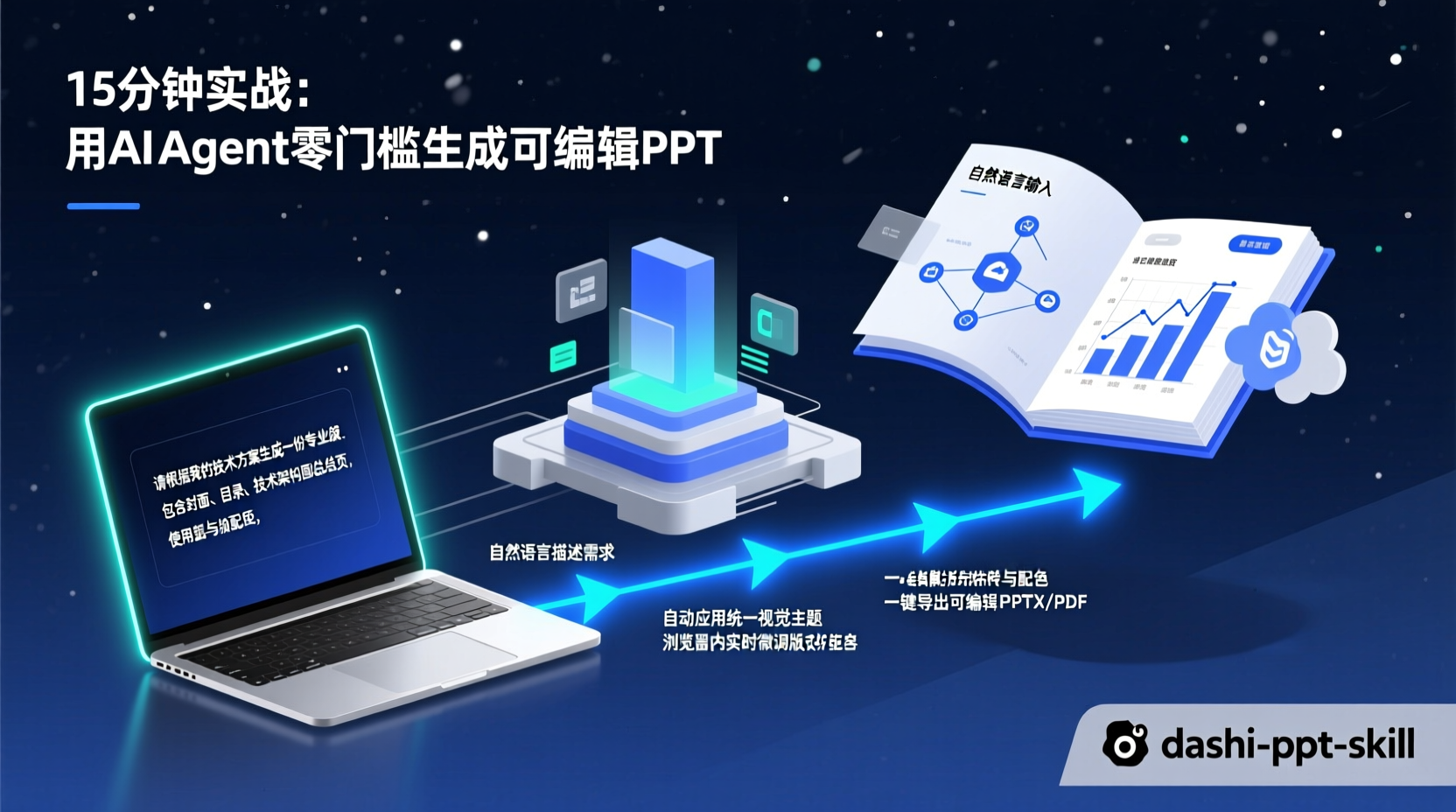
How to Generate Professional, Editable PPTs in 15 Minutes Using an AI Agent
Last month, I spent half a day just aligning elements and hunting for templates to finish a tech presentation for my team. The core content was ready, but I was stuck manually adjusting font sizes, swapping color schemes, and dragging text boxes in PowerPoint. If you've ever prepared a report or deck, you've felt this "content ready, formatting stuck" pain.
Today, I'm walking you through a workflow: drop your document or requirements into an AI Agent, wait a few minutes, and get a fully structured, visually consistent presentation that you can edit directly in your browser. Click to fix what you don't like, and export it as an editable PPTX with one click.
The tool we're using is dashi-ppt-skill. Essentially, it's an AI Agent Skill that automates the entire pipeline of "content organization → layout design → rendering output." Let's walk through the process from zero to finished slide deck.
Prerequisites: What You Need
| Requirement | Notes |
|---|---|
| Node.js 20+ | The generator runs locally. We recommend using nvm for version management. |
| npm | Comes with Node.js, used for installing dependencies. |
| AI Agent | Claude Code, Codex, Doubao, or any local agent capable of reading/writing files and executing terminal commands. |
| Chrome / Edge (Optional) | Required for exporting to PPTX or PDF. Must be a Chromium-based browser. |
Why a local Node.js environment? Data privacy is a core feature of this project. Your documents and PPT content are never uploaded. All generation, editing, and exporting happen locally on your machine. The only network calls are for the initial dependency installation and silent version checks.
Verify your environment is ready:
bash
node -v  # Requires v20 or higher
npm -v   # Requires v7 or higher
Step 1: Install with One Command
This project follows a "rerun to update" philosophy. Installation and updates use the exact same command:
bash
## Default installation
npx dashi-ppt-skill@latest

## Recommended for users in China
npx --registry=https://registry.npmmirror.com dashi-ppt-skill@latest
Why npx instead of npm install? npx ensures you're always running the latest version without manually managing global packages. If you've already installed it, running the command again will intelligently retain existing dependencies and fetch only new updates.
You can also paste the installation command directly into your AI Agent (e.g., Claude Code) and let it handle the setup.
Step 2: Feed Your Requirements to the Agent
Once installed, open your AI Agent's chat interface. I'll use Claude Code as an example, but the logic applies to Doubao, Codex, Cursor, and other platforms.
Example Scenario: "Q3 Technical Team Review & Q4 Planning"
State your requirements clearly and specifically:
Help me generate a PPT using dashi-ppt-skill:

- Topic: Technical Team Q3 Review & Q4 Planning
- Audience: CTO and Department Heads
- Slide Count: ~12 slides
- Key Takeaways: Completed core system refactoring in Q3 (40% performance boost); Q4 focus on Microservices Governance Platform
- Include Images: Yes
The Agent will execute the following steps internally (knowing this helps you steer the output):
- Theme Preview: The skill includes 12 built-in visual themes (e.g., Light Skeuomorphism, Neon Purple/Green, Glass Candy, Black & Gold Lab, Deep Blue Magazine). It will show you previews to pick from. You can simply say
Use theme07 (Clean White Research)or ask the Agent toswitch the whole deck to theme04 (Glass Candy). - Content Structuring: The Agent breaks your prompt down into 20 distinct slide roles—cover, TOC, metrics, trends, comparisons, workflows, risks, closing, etc.—and matches them with appropriate layouts.
- Generate HTML Editor: The output isn't a static image. It's a fully interactive web-based editor. You can flip slides, edit text, swap images, and adjust layouts directly in the browser.
Step 3: Fine-Tune in the Browser
After generation, the Agent provides a local preview link (usually http://localhost:xxxx). Opening it reveals a presentation editor with a built-in control panel:
- Click any text to edit it directly. Decorative elements auto-adjust to fit your new word count.
- Right-side console offers 20+ adjustable parameters: drag sliders to increase/decrease modules, switch layouts, change chart types (radar, waterfall, funnel, Sankey, etc.), or swap color palettes.
- Image slots: Click or drag-and-drop to replace images. Uploads are automatically compressed.
- Left thumbnail pane: Supports drag-and-drop reordering, skipping, deleting, or duplicating slides.
- Top bar: One-click presentation mode, light/dark theme toggle, or reset all changes.
Why edit in the browser? The HTML intermediate state preserves AI interactivity. You can use natural language to tell the Agent "Change the bar chart on slide 3 to a waterfall chart" or "Switch the TOC page to a cool color palette". The Agent directly manipulates the DOM and component states, which is orders of magnitude faster than manual adjustments in PowerPoint.
Step 4: Export to PPTX / PDF
Once you're satisfied with the adjustments, you have two export options:
Option 1: Export Directly from the Browser
The editor interface includes an export button supporting HTML offline packages, PDF, and editable PPTX formats.
Option 2: CLI Export (Ideal for CI/CD or Batch Generation)
bash
## Export as an editable PPTX
npm --prefix <project-dir> run export:pptx -- <output-dir>/presentation.pptx

## Export as PDF
npm --prefix <project-dir> run export:pdf -- <output-dir>/Note: Exporting to PPTX/PDF requires a local Chrome/Chromium/Edge installation. If using WSL, specify the browser path via the CHROME_PATH environment variable. The exported PPTX preserves node-by-node structure, keeping all text fully editable for further tweaks in PowerPoint or WPS.
Complete Workflow Recap
Here's the full pipeline from start to finish:
1. Describe Requirements — Topic, audience, slide count, key conclusions
2. Pick a Theme     — Choose from 12 built-in visual styles
3. Agent Structures  — Content organization + layout matching
4. Browser Fine-tuning — Edit text, swap images, adjust modules & colors
5. Export & Deliver   — HTML / PDF / PPTX
The entire process, from input to final output, takes about 5–15 minutes depending on complexity and iteration cycles. A standard 10-slide deck consumes roughly 100k tokens, which fits comfortably within typical AI quota windows.
Common Pitfalls & Pro Tips
- PPTX Export Fails: Verify that Chrome/Chromium/Edge is installed. If it still fails, check the path with
echo $CHROME_PATH. WSL users must point to the Windows-side browser executable. - Limited Custom Styling: Current customization is intentionally scoped (colors, layouts, module counts, etc.). This is by design—"consistent output beats endless color picking." If you need pixel-perfect manual control, this isn't the tool for you.
- Avoid Pure Web Chatbots: The generator requires a local Node.js environment and file/CLI access. Browser-only chatbots lack this capability. Stick to Claude Code, Codex, Cursor, or similar local agents.
- Doubao Users: You must enable "Office Mode" in Doubao to properly run this Skill.
Summary
What we covered today is straightforward: using an AI Agent Skill to transform "building a PPT from scratch" into "describe → wait → tweak → export." The core steps are install, prompt, theme selection, browser editing, and export.
What truly sets this tool apart is that it doesn't stop at "AI generates a few slides." It deeply optimizes the post-generation editing workflow—each slide comes with a control panel, and layout shifts, module adjustments, or color swaps are all driven by natural language. For tech professionals who frequently build presentations, this eliminates hours of mechanical grunt work.
Next Steps: If you've successfully run through this flow, try feeding it a real document (like a product PRD, architecture proposal, or retro report) to experience the conversion rate firsthand. The project is open-source under the AGPL-3.0 license. If you're curious about the underlying architecture, check out the GitHub repository to explore the Skill definitions and generation logic.