How to Run a Full-Site SEO Audit in 10 Minutes with Claude Code
A practical step-by-step tutorial on using the open-source claude-seo plugin (13k+ stars) to perform comprehensive technical and content SEO audits, generate prioritized action reports with falsifiable verification methods, and assess AI search readiness—all within Claude Code CLI with zero upfront configuration.
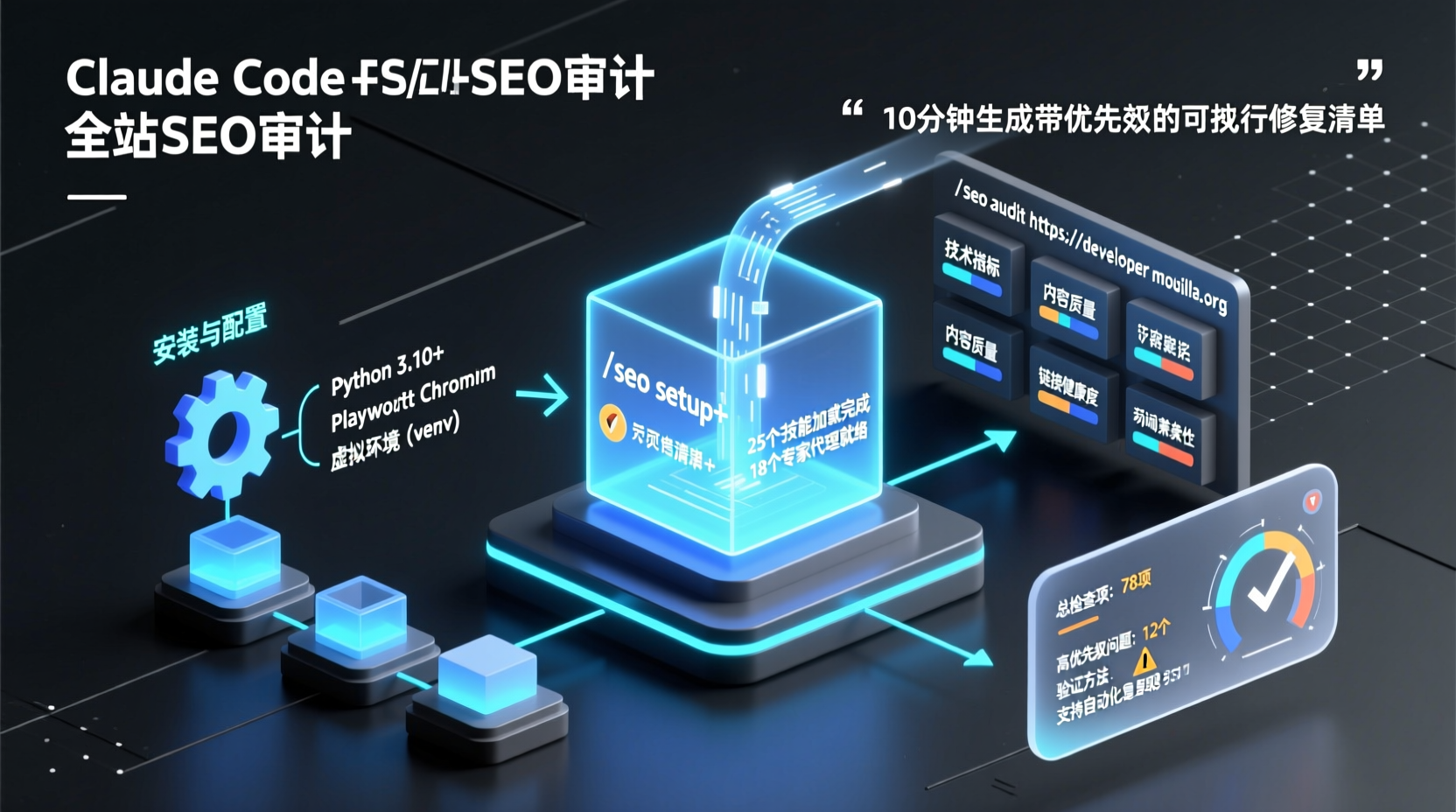
How to Run a Full-Site SEO Audit in 10 Minutes with Claude Code
Last week, our team's SaaS product just launched a redesigned homepage. Two weeks post-launch, organic traffic dropped instead of climbing. The product manager came to me: "Can we quickly figure out what went wrong before we wait a whole month for Google Search Console reports?"
I know this drill well. Traditional SEO audits either mean manually reviewing pages one by one or buying enterprise crawling tools that take hours—or days—to complete. Today, I'll walk you through running a complete SEO diagnostic using the open-source project claude-seo (13k+ stars, GitHub Trending today) directly inside Claude Code. From installation to a prioritized audit report—10 minutes, or my name isn't in tech.
Let's be clear upfront: this is not an "AI writes SEO blog posts" tool. It's an audit analysis plugin—it helps you discover issues, rank them by priority, and provides verifiable fix recommendations. After reading this guide, you'll be able to run a professional-grade SEO health check on any website.
Prerequisites
Before running through this tutorial, you'll need:
- Claude Code CLI installed (
claude --versionshould show ≥ 1.0.33). If you haven't installed it yet, head to claude.ai/claude-code and follow the official guide. We won't cover that here. - Python 3.10+ (
python3 --versionto confirm). The audit engine runs Python scripts under the hood for page rendering and data processing. - A website URL you want to audit—it can be your own project or a public test site. I'll use
developer.mozilla.orgfor demonstration because it's content-rich and has solid SEO practices, so you'll see real analysis results rather than an empty report.
No Google API Key required. No third-party service subscriptions needed. Core features work with zero configuration. You can integrate GSC or PageSpeed data later if you choose.
Step 1: Install the Claude SEO Plugin
There are two installation paths. I recommend the plugin marketplace one-click install (suitable for most users), but I'll also cover manual installation for reference.
Method 1: Plugin Marketplace Installation (Recommended)
Open Claude Code and run the following commands in sequence:
bash
/plugin marketplace add AgriciDaniel/claude-seo
/plugin install claude-seo@agricidaniel-claude-seo
/seo setup
/plugin marketplace add registers the plugin to your local marketplace; /plugin install performs the actual installation; the most critical step is /seo setup—it creates an isolated Python virtual environment under Claude's plugin data directory and installs Playwright Chromium (required for rendering SPA pages). Once this step completes, your environment is clean and ready to use without polluting your global Python installation.
After installation, run /seo doctor to verify the setup. You should see output similar to:
[✓] Python venv ready
[✓] Playwright Chromium installed
[✓] All 25 sub-skills loaded
[✓] 18 specialist agents available
Method 2: Manual Installation
If you prefer managing dependencies manually:
bash
git clone --depth 1 https://github.com/AgriciDaniel/claude-seo.git
bash claude-seo/install.sh
Why recommend git clone over curl | bash? The README puts it plainly: Claude Code's security mechanisms flag irm | iex style remote code execution as a supply chain risk. With git clone, you can cat install.sh to inspect the contents before executing, keeping the process transparent.
Step 2: Run Your First Full-Site Audit
With the environment ready, let's get to work.
In Claude Code, run:
bash
/seo audit https://developer.mozilla.orgThis triggers a full-site parallel audit: the orchestrator dispatches up to 15 specialist agents simultaneously to examine technical SEO, page content (E-E-A-T), Schema.org structured data, AI search visibility (GEO), local SEO, e-commerce SEO, and more. Results typically appear within 10–15 minutes.
You might ask: "Won't 15 agents running in parallel bog things down?" In practice, each agent handles only one facet—for example, seo-technical focuses exclusively on Core Web Vitals and indexing issues, while seo-content evaluates content quality and author credibility. They don't block each other. This is exactly why it outperforms commercial tools: you don't wait for a multi-hundred-megabyte crawler to finish before seeing results; modules run concurrently and merge at the end.
Once the audit completes, you'll receive a Markdown-formatted audit report structured as follows:
| Section | Description |
|---|---|
| Summary | Overall score (0–100), count of key findings |
| Technical SEO | Core Web Vitals, canonical tags, robots.txt, sitemap |
| Content / E-E-A-T | Content quality score, author information, citation sources |
| Schema Markup | JSON-LD detection, missing/deprecated type alerts |
| AI Search Readiness | Paragraph citability scores, llms.txt verification |
| Action Plan | Priority-ranked fix checklist, each accompanied by verification steps to confirm the fix worked |
The Action Plan section is my favorite—recommendations aren't vague suggestions like "optimize meta descriptions." Instead, they look like this:
Critical: 3 pages missing canonical tags → redirect chain could dilute link equity.
How would we know this failed? Check GSC Coverage report for duplicate canonical warnings within 7 days.
Leading indicator: Canonical coverage ratio should reach 95%+.
This embodies the author's "falsifiable" design philosophy: every recommendation includes a verification method and forward-looking metric, so you know exactly whether your fix actually worked.
Step 3: Deep Dives—Single Page Analysis, Schema & AI Search
A full-site audit gives you the big picture. In daily work, you might only need to examine a specific page or a particular dimension. Here are three commands I highly recommend mastering:
Single Page Deep Analysis
bash
/seo page https://developer.mozilla.org/en-US/docs/Web/HTTPGreat for content ops teams: checks on-page elements, content quality, structured data, and internal link density for a single page. Much faster than a full-site run, and convenient for quick re-checks after page edits.
Schema Markup Audit
bash
/seo schema https://developer.mozilla.org/en-US/docs/Web/HTTPOutput includes: number of detected JSON-LD blocks, attribute completeness per Schema type, alerts for deprecated types (e.g., FAQPage was removed from Google's rich results in May 2024), and suggestions for types you should add. This feature is particularly practical—many sites have schema markup written years ago, and Google has retired certain types that nobody bothers to update. One audit run reveals them all.
AI Search Visibility Check
bash
/seo geo https://developer.mozilla.org/en-US/docs/Web/HTTPThis is a standout feature in claude-seo. Google made its stance clear in 2024: AEO and GEO are fundamentally just different names for SEO. The underlying ranking systems for AI Overviews and AI Mode are consistent with traditional search—the only difference is that content must be presentable as a standalone answer paragraph (~134–167 words) to be cited by AI search. /seo geo handles:
- Calculating a citability score for each paragraph
- Checking question-based heading hierarchy structure
- Detecting external entity associations (Wikipedia, Reddit, YouTube, LinkedIn, etc.)
- Debunking a myth:
llms.txtis currently not a citation lever (Google has confirmed it ignores this file), you don't need dedicated content chunking, and you don't need keyword rewrites.
Real-World: Complete Workflow from Audit to Report
Let's walk through a more realistic scenario: you just took over SEO for an e-commerce independent site, and your boss wants a diagnostic report within a week.
1. /seo audit https://mysite.com                    → Full-site health check, get prioritized checklist
2. /seo page https://mysite.com/product/x           → Deep analysis for key product pages
3. /seo backlinks https://mysite.com                → Analyze backlink profile (free tier uses Bing/Common Crawl data)
4. /seo cluster "wireless headphone"                → Generate semantic keyword clusters
5. /seo competitor-pages https://mysite.com         → Produce competitive page comparison recommendations
You can then consolidate results across dimensions into a comprehensive report. If you've connected Google APIs (configured via /seo google setup for credentials), /seo google will also call PageSpeed Insights and CrUX to generate a PDF report with charts (WeasyPrint typesetting, 200 DPI charts, A4 format, roughly 32 pages for a full-site audit).
Advanced: Integrating Google Data & Third-Party Extensions
Core features work with zero configuration, but you can gradually upgrade for more accurate data.
Google API Four-Tier Credential System
| Tier | What You Need | What It Unlocks |
|---|---|---|
| Tier 0 | API Key only | PageSpeed Insights, CrUX, 25-week trend data |
| Tier 1 | + OAuth / Service Account | + Search Console, Indexing API |
| Tier 2 | + GA4 Configuration | + GA4 organic traffic, landing pages, device/geo distribution |
| Tier 3 | + Ads Developer Token | + Keyword Planner search volume & competition |
Running /seo google setup launches the credential configuration wizard. All keys are stored under ~/.config/claude-seo/ with 0o600 permissions and are never committed to the repository.
MCP Extensions
claude-seo supports 8 MCP extensions. Install them on demand:
bash
## DataForSEO — Real-time SERP, keyword, backlink data
./extensions/dataforseo/install.sh
/seo dataforseo serp best wireless headphones

## Firecrawl — Full-site crawling
./extensions/firecrawl/install.sh
/seo firecrawl crawl https://example.com

## Ahrefs — Official MCP, backlink and organic keyword data
/seo ahrefs overview https://mysite.com
These extensions are optional. Installing them adds live data support, but the core audit functionality works perfectly fine without them.
FAQ
Q: My site is an SPA (Next.js / React). Will the audit results be accurate?
Yes. Version 2 introduced a Playwright Chromium headless renderer that automatically detects SPA characteristics (like an empty <div id="root"> shell) and switches to render mode. In rare cases (e.g., scroll-driven hydration or pages that only load content after user interaction), you may see noise. Cross-verify with seo-visual Playwright screenshots if needed.
Q: Do I need a VPN?
The audit process makes HTTP requests or uses Playwright to access your target URL. If your site is inaccessible from your current network (e.g., blocked by GFW), naturally the audit will fail. For China-hosted sites, we recommend deploying to an overseas test environment or running Claude Code on a VPS.
Q: /seo audit got stuck. What should I do?
First, run /seo doctor to check environment status. The most common cause is Playwright Chromium not being installed correctly—simply re-run /seo setup. If issues persist, check docs/TROUBLESHOOTING.md.
Q: Can I export audit results?
Audits default to outputting Markdown to local files (e.g., FULL-AUDIT-REPORT.md, SCHEMA-REPORT.md). After connecting Google APIs, PDF export is available. All files remain local; nothing is uploaded to third-party servers.
Summary
This tutorial walked you through:
- ✅ Installing the claude-seo plugin in Claude Code
- ✅ Running a full-site parallel audit with
/seo audit - ✅ Deep-diving on demand with
/seo page,/seo schema, and/seo geo - ✅ Understanding Google API integration and MCP extensions
- ✅ Troubleshooting common issues
If you have any live site—a corporate homepage, personal blog, or SaaS landing page—open Claude Code and give it a spin. Ten minutes from now, you won't get a vague "SEO needs improvement" conclusion. Instead, you'll have a priority-ranked, verifiable action checklist.
Next step recommendation: after running the audit, pair it with the Claude Blog project to directly fill content gaps identified during the audit. Use /blog write "target keyword" to generate SEO-optimized articles, completing a full discover → fix → publish workflow.