How to Build a Production-Grade AI Code Review Pipeline in 15 Minutes
A practical guide to deploying a deterministic AI code review pipeline using Alibaba's open-source open-code-review CLI. This tutorial covers installation, LLM configuration, targeted review execution, and automated GitHub Actions integration for seamless PR feedback.
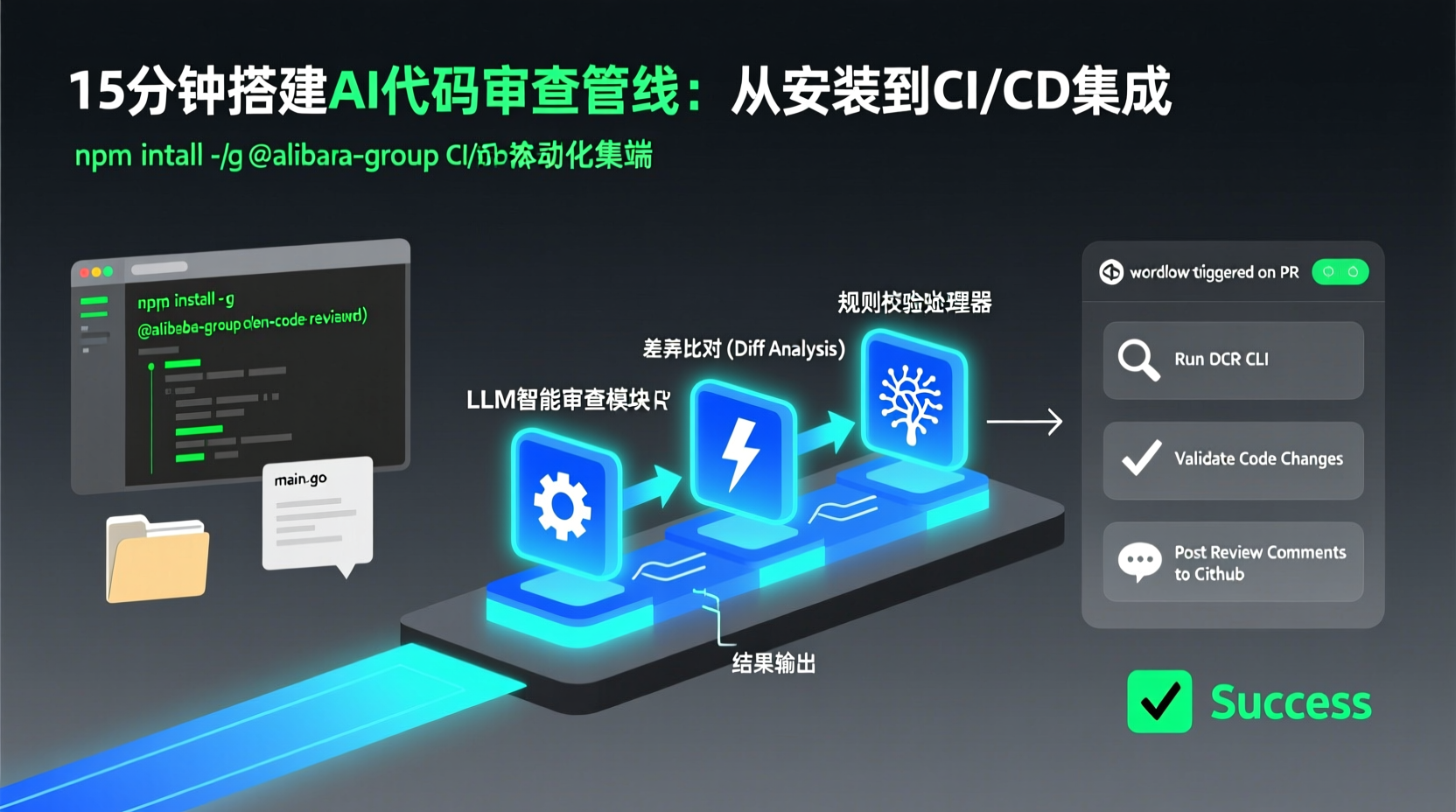
Build a Production-Ready AI Code Review Pipeline in 15 Minutes
The Pain Points You'll Encounter
Once your engineering team hits double digits, PR code reviews often become a bottleneck. Senior developers get flooded with endless diffs, while junior developers' edge-case changes slip through the cracks. Even worse, generic AI Agents (like Claude Code or Cursor) frequently miss files, suffer from line number drift (pointing to code that doesn't exist), or produce inconsistent quality based on minor prompt tweaks.
If you've faced these issues, this tutorial will help you set up a production-ready AI code review pipeline: one-command local CLI triggers, branch/commit/full-scan support, a deterministic pipeline that never misses files, and dynamic agent analysis for high-quality feedback. Finally, you'll integrate it into GitHub Actions for fully automated runs. The whole process takes about 15 minutes.
Prerequisites
- Node.js 18+ (The tool is distributed via npm)
- Git >= 2.41 (Relies on modern Git for diff generation, code search, and repo operations)
- A working LLM API Key (OpenAI, Anthropic, Ollama, SiliconFlow, etc. This guide uses Qwen as an example)
- Basic Linux/macOS command-line experience
Step 1: Installation
bash
npm install -g @alibaba-group/open-code-reviewThis command globally installs the ocr CLI. Why npm? The tool leverages the Node ecosystem for seamless distribution and out-of-the-box usability, while its performance-critical core is written in Go. This hybrid approach balances execution speed with installer convenience.
Verify the installation:
bash
ocr --versionStep 2: Configure the LLM
OCR's core engine supports both OpenAI-compatible and Anthropic-compatible models. Domestic providers like Qwen and SiliconFlow are fully OpenAI-compatible.
Run the interactive configuration wizard:
bash
ocr config providerThis opens a guided menu to select your LLM provider, input your API Key and Endpoint, and choose a model. Upon completion, it automatically tests connectivity.
If you prefer environment variables (ideal for CI/CD environments):
bash
export OPENAI_API_KEY="your-api-key"
export OPENAI_BASE_URL="https://dashscope.aliyuncs.com/compatible-mode/v1"
export OPENAI_MODEL="qwen-plus"
Why configure an LLM? Generic agents rely purely on open-ended prompts, which often lead to off-target feedback. OCR constrains the LLM strictly to the "code review" domain using optimized prompt templates and specialized tooling. You don't need to craft lengthy system prompts—just configure the connection.
Step 3: Run a Review
bash
cd /path/to/your-project

## Workspace mode: reviews staged, unstaged, and untracked changes
ocr review
ocr review analyzes changes in your current Git workspace, bundles relevant files, sends them to the agent sequentially, and outputs structured, line-level comments.
Other common modes:
bash
## Compare changes between two branches
ocr review --from main --to feature-branch

## Review a single commit
ocr review --commit abc123def

## Full file scan (audits entire files, ignores diffs)
ocr scan --path src/
Why the --from / --to mode? In team workflows, you typically branch from main and only need to review the delta. This mode ensures only new or modified lines are analyzed, saving significant token costs.
In Practice: Integrating with GitHub Actions
Manual triggers work great for local dev, but the ideal team setup is: automatic review on every push, non-blocking but delivering high-quality suggestions.
Create .github/workflows/code-review.yml in your repo root:
yaml
name: AI Code Review

on:
  pull_request:
    types: [opened, synchronize, reopened]

jobs:
  review:
    runs-on: ubuntu-latest
    permissions:
      contents: read
      pull-requests: write
    steps:
      - uses: actions/checkout@v4
        with:
          fetch-depth: 0  # Need full history for accurate diffs

      - name: Setup Node.js
        uses: actions/setup-node@v4
        with:
          node-version: 20

      - name: Install OCR
        run: npm install -g @alibaba-group/open-code-review

      - name: Run Code Review
        env:
          OPENAI_API_KEY: ${{ secrets.OPENAI_API_KEY }}
          OPENAI_BASE_URL: https://dashscope.aliyuncs.com/compatible-mode/v1
          OPENAI_MODEL: qwen-plus
        run: |
          ocr review --from main --to ${{ github.head_ref }}
Add your API Key to GitHub Secrets (Settings → Secrets and variables → Actions), push a PR, and watch the workflow deliver automated review comments.
Pro Tips & Pitfall Avoidance
- Git Version >= 2.41: Older Git versions (e.g., CentOS 7 defaults to 1.8) lack the required diff/search commands. Run
git --versionfirst. Ubuntu 22.04 ships with 2.34, which is still too old; consider upgrading via PPA or source. - Full Scan vs Incremental Review:
ocr scanignores Git history and audits raw files. Ideal for onboarding to legacy projects, auditing third-party dependencies, or repos without meaningful diffs. For daily PRs, stick toocr reviewto save tokens and speed up feedback. - Delegation Mode: Already using Claude Code or Codex? Run
ocr delegate rule src/main.go— OCR handles file selection and rule matching, while your Agent's LLM performs the actual review. No extra API key configuration needed. - Resume Interrupted Reviews: If your CI times out or you manually stop a large review, run
ocr session listto find the session ID, then resume with--resume <session-id>.
Summary
Today, we built a complete AI code review pipeline: install the ocr CLI → configure the LLM → run local manual reviews → automate via GitHub Actions. Its core value lies in the deterministic engineering constraints + dynamic agent analysis hybrid architecture: zero file misses, precise line-level targeting, and dramatically lower token consumption (benchmarks show ~1/9th the tokens of generic agents).
Next Steps:
- Read the official Review Rules Documentation to learn custom path filters and rule creation
- Try
ocr scanon a legacy directory that hasn't been properly reviewed - If you're a Tech Lead, explore the Session Viewer for browser-based session playback and team feedback
Hit the comments if something doesn't run as expected—I'm usually online weeknights to help out.